
How Many Operating Systems Are There in a Computer? A Guide to Different OS Types
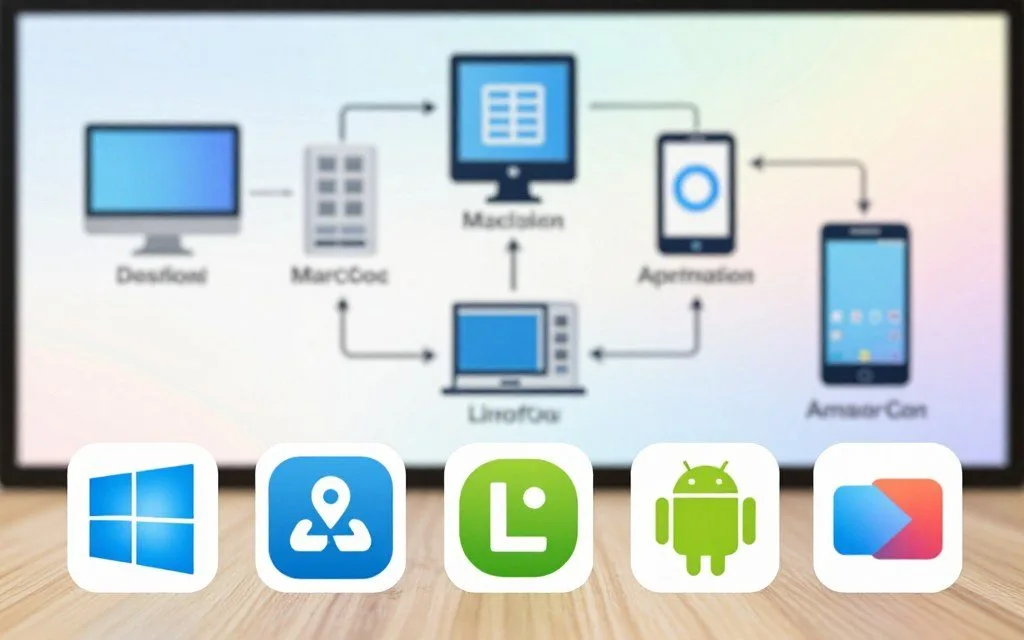
Knowing the range of operating system types helps consumers, IT professionals, and business leaders make smart choices. This guide examines today’s many operating systems and explains what each type offers. These choices can shape your computing experience.
Desktop choices include Windows, macOS, and open-source systems such as Linux. Mobile systems, including Android and iOS, play a major role in daily life. Specialized server and embedded systems meet specific needs across many industries.
The number of operating systems on one device depends on its configuration. This guide covers single-boot, dual-boot, and virtual machine setups. Together, these topics introduce the comprehensive computer OS list that follows.
Key Takeaways
- Understanding different OS types is vital for informed tech decisions.
- Popular desktop systems include Windows, macOS, and Linux.
- Mobile platforms like Android and iOS are integral to modern computing.
- Specialized systems serve unique industry needs.
- Configuration affects the number of OS options on a device.
What Is an Operating System and Why Does It Matter?
Operating system functions guide how a computer works. An operating system (OS) is essential software that connects users with computer hardware. It manages hardware resources and lets applications run while users interact with the computer.
Without an operating system, a computer cannot do useful work. The OS ensures that all hardware components, such as the CPU, memory, and storage, work together smoothly. This coordination supports applications and everyday tasks.
Defining the Role of an Operating System
The main role of an operating system is managing the computer’s hardware and software resources. It assigns resources, schedules tasks, and helps applications run smoothly. The OS also provides a user interface, so users can interact with the computer easily.
Core Functions Every Operating System Performs
Operating systems perform several core functions needed for effective computer operation. The table below outlines these functions:
| Function | Description |
|---|---|
| Process Management | Handles the creation, scheduling, and termination of processes. |
| Memory Management | Allocates and manages memory space for processes. |
| File System Management | Organizes and controls how data is stored and retrieved. |
| Device Management | Controls and manages hardware devices through drivers. |
| Security Management | Enforces security protocols to protect data and resources. |
These core functions help ensure efficient computer operation. As this guide continues, we will explore a comprehensive desktop operating systems list to explain the various options available.
How Many Operating Systems Are There in a Computer?
Knowing how many operating systems a computer can host helps users. A computer’s setup affects how many systems it can install and run. Usually, there are two main setups: single boot vs multi boot.
Single-Boot vs. Multi-Boot Configurations Explained
A single-boot configuration runs only one operating system at a time. Most consumer computers have one OS pre-installed, such as Windows or macOS. Some advanced users choose a multi-boot configuration to install several systems and select one during startup for gaming or software development.
Virtual Machines and Dual-Boot Setups
Users can also run multiple operating systems with virtual machines. VMware Workstation, Oracle VirtualBox, and Microsoft Hyper-V create virtual environments. These environments run different systems at once on one physical machine, without requiring a reboot.
Additionally, a dual-boot configuration partitions the hard drive for two operating systems. This dual boot configuration lets users choose which OS to start, supporting different applications and workflows.
Counting Operating Systems Across Modern Devices
The count of operating systems across modern devices can vary widely. A typical U.S. household may have Windows on a desktop PC and macOS on a laptop.
It may also have Android on a smartphone and iOS on a tablet. Embedded Linux often runs on smart TVs and routers. The answer depends on what counts as a computer and whether virtualized or embedded systems are included.
Windows Operating Systems: Versions and Features
Windows operating systems have changed greatly over the years to meet modern user needs. Today, two primary versions dominate: Windows 11 and Windows 10. Each offers unique features, so the Windows 10 vs Windows 11 choice depends on user preferences and hardware capabilities.
Windows 11: The Current Standard for U.S. Users
Windows 11 is the latest version of Microsoft’s operating system. It adds a redesigned interface that improves usability and visual appeal. Important Windows 11 features include:
- Snap Layouts: This feature allows users to multitask more efficiently by organizing open windows in a visually appealing manner.
- Integrated Microsoft Teams: Users can connect with colleagues and friends directly from the taskbar, streamlining communication.
- Android App Support: Through the Amazon Appstore, users can run Android applications on their desktops.
- Enhanced Security: Windows 11 requires TPM 2.0 and Secure Boot, providing a more secure environment for users.
Windows 10: Still Widely Used in Homes and Offices
Despite Windows 11’s release, Windows 10 remains popular among many users. Its stability and broad driver support make it reliable for personal and professional use. Key points include:
- Familiar Interface: Many users appreciate the classic layout and functionality of Windows 10.
- Continued Updates: Microsoft still provides security updates, ensuring that users remain protected.
- Hardware Compatibility: Windows 10 works well with a wide range of devices, making it accessible for various setups.
Key Features of Modern Windows Versions
Windows 10 and Windows 11 share several features that improve the user experience. Key features of Windows 10 and Windows 11 include:
- Start Menu Evolution: The Start Menu has seen significant improvements, making navigation easier.
- Cortana Integration: Microsoft’s virtual assistant helps users manage tasks and information efficiently.
- Windows Defender: This built-in security suite offers robust protection against threats.
- DirectX 12 Support: Gamers benefit from enhanced graphics and performance.
- Windows Update: The update system ensures users receive the latest features and security patches.
macOS: Apple’s Desktop Operating System
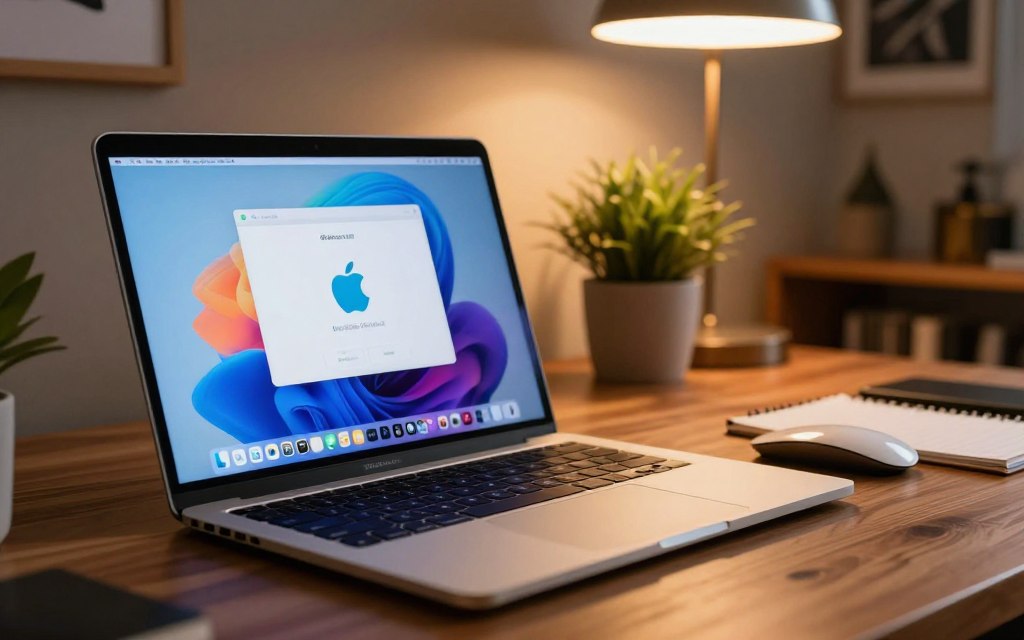
Apple’s macOS is a leading operating system for professionals who want smooth integration and strong performance. This section reviews Ventura and Sonoma, the current macOS versions, and their main benefits for U.S. professionals.
Current macOS Versions: Ventura and Sonoma
Currently, the macOS versions list includes macOS Ventura (version 13) and macOS Sonoma (version 14). Each version has hardware requirements for strong performance on supported Mac models. Ventura supports MacBook models from 2017 and later, while Sonoma requires models from 2018 onward.
Apple releases macOS updates each year with new features and improvements. Its naming changed from big cats to California landmarks, reflecting the company’s roots. This change keeps the branding fresh and connects with the region’s cultural identity.
Key Features of macOS for U.S. Professionals
macOS offers several important features for professionals in different fields:
- Seamless Integration: The Apple ecosystem allows for smooth connectivity between devices like iPhones, iPads, and Apple Watches.
- Continuity Features: Tools like Handoff and Universal Clipboard enhance productivity by allowing users to switch between devices effortlessly.
- Robust Applications: Built-in applications such as Final Cut Pro and Logic Pro cater to creative professionals, offering powerful tools for video and audio editing.
- Security Architecture: Features like Gatekeeper and XProtect ensure a secure environment, protecting users from malware and other threats.
- Unix-Based Foundation: This appeals to developers, providing a powerful platform for software development and scripting.
When comparing macOS vs Windows, each operating system has strengths. macOS excels in creative industries, with strong graphics and video capabilities. Windows is often preferred for gaming and business applications, so the best choice depends on user needs.
| Feature | macOS Ventura | macOS Sonoma |
|---|---|---|
| Release Year | 2022 | 2023 |
| Compatibility | MacBook 2017+ | MacBook 2018+ |
| Key Highlight | Stage Manager | Enhanced Widgets |
Linux Distributions: Open-Source Alternatives
Linux distributions provide flexible, powerful alternatives to traditional systems such as Windows. Users can choose options for personal use, development, or enterprise solutions. This Linux distributions comparison highlights popular choices and their special features.
Ubuntu: The Most Popular Linux Distribution
Ubuntu is the most widely used Linux distribution, especially on desktops. Canonical developed it, and its user-friendly interface has strong community support. Key features include:
- GNOME Desktop Environment: Offers a clean and modern interface that is easy to navigate.
- Snap Package Management: Simplifies software installation and updates.
- Long Term Support (LTS) Releases: Ensures stability and security for users over extended periods.
These features help people moving from Windows or macOS. Ubuntu combines ease of use with powerful capabilities.
Fedora, Debian, and Other Notable Distributions
Several other distributions meet different user needs:
- Fedora: Sponsored by Red Hat, known for its cutting-edge features and frequent updates.
- Debian: The foundation of many other distributions, recognized for its stability and reliability.
- Linux Mint: A user-friendly alternative to Ubuntu, ideal for beginners.
- Arch Linux: Targeted at advanced users who prefer a rolling release model.
- openSUSE: Popular in enterprise environments, offering powerful tools for developers.
Each distribution offers unique benefits for different uses and user preferences.
Linux for Servers and Enterprise Use
Linux powers many server environments and dominates the web server market. Major enterprise distributions include:
- Red Hat Enterprise Linux: Known for its stability and extensive support.
- SUSE Linux Enterprise Server: Offers robust performance and security features.
- Containerization Technologies: Tools like Docker and Kubernetes rely heavily on Linux for deployment and management.
When comparing Linux vs Windows for servers, Linux often wins through its cost-effectiveness, security, and customizability. These strengths make Linux a preferred choice for many organizations.
Mobile Operating Systems: Android and iOS
Mobile operating systems are vital in today’s tech-driven world. They power smartphones and tablets, giving users the interface and tools they use each day. Android and iOS are two prominent mobile operating systems examples, each with unique features and benefits.
Android: Google’s Open-Source Mobile Platform
Android is an open-source mobile platform developed by Google. It leads the global market and holds a significant share in the United States. Manufacturers such as Samsung, Google Pixel, and Motorola can widely customize their devices.
The Google Play Store offers a strong app ecosystem with millions of options. Android also faces fragmentation because devices may run different OS versions. This issue can affect app compatibility and security.
Android’s security model includes detailed app permissions. These controls let users choose which data apps can access. Google service integration improves the user experience, making Android a flexible choice for many people.
iOS: Apple’s Mobile Operating System
In contrast, iOS is Apple’s proprietary mobile operating system for devices such as the iPhone and iPad. Its closed ecosystem closely connects hardware and software for a smooth user experience. The App Store review process supports high standards for app quality and security.
Regular updates keep iOS devices secure and current. Features such as App Tracking Transparency improve user privacy. This focus makes iOS a preferred choice for many users.
When comparing Android vs iOS, consider device choice, customization, app availability, and security. Each operating system has strengths and weaknesses. Your choice depends on your needs and preferences.
| Feature | Android | iOS |
|---|---|---|
| Customization | Highly customizable | Limited customization |
| App Store | Google Play Store | Apple App Store |
| Security | Varies by device | Consistent updates |
| Market Share | Largest globally | Strong in the U.S. |
Server and Embedded Operating Systems
Server and embedded operating systems support modern technology. These specialized systems manage resources and services, from large data centers to small IoT devices.
Windows Server Editions for Business Environments
Windows Server editions, including Windows Server 2022, 2019, and 2016, support business operations. These server operating systems provide critical features, including Active Directory domain services. These services help manage user access and permissions.
They also provide file and print sharing, which helps teams collaborate. Internet Information Services (IIS) supports web hosting, while Hyper-V supports virtualization. Each edition uses its own licensing model, with Standard, Datacenter, and Essentials options for different business needs.
Unix-Based Systems: Solaris and FreeBSD
Unix-based systems like Oracle Solaris and FreeBSD have historical significance in modern operating system development. Solaris is known for enterprise features, including the ZFS file system and zones for virtualization. These features improve performance and data management.
On the other hand, FreeBSD is known for stability and performance, especially in networking and storage. Both systems remain relevant in enterprise environments, offering strong solutions for demanding workloads.
Embedded Operating Systems in IoT Devices
Embedded operating systems are vital to IoT devices. Lightweight, real-time systems such as FreeRTOS, Zephyr, and Embedded Linux power smart thermostats and industrial sensors. These embedded operating systems use little power and need small amounts of memory.
They provide real-time responses, unlike general-purpose desktop operating systems. As IoT expands, these specialized systems become more important.
How to Identify Which Operating Systems Are Installed on Your Computer
Knowing your installed operating systems helps you make informed software and hardware decisions. This guide shows how to check OS version on Windows and macOS, plus other systems in a multi-boot setup.
Checking Your Current OS on Windows
To learn how to check OS version on Windows, use one of these methods:
- Settings App: Navigate to Settings > System > About. Here, you will find details about your Windows version and build number.
- System Information Utility: Press Windows + R, type msinfo32, and hit Enter. This will open a window displaying comprehensive system information.
- Command Prompt: Open Command Prompt and type winver or systeminfo to see your OS version.
- PowerShell: Use the command Get-ComputerInfo in PowerShell for detailed OS information.
Version and build numbers show whether you use Windows 10, Windows 11, or an earlier version.
Checking Your Current OS on macOS
macOS users can check their installed operating system in several simple ways:
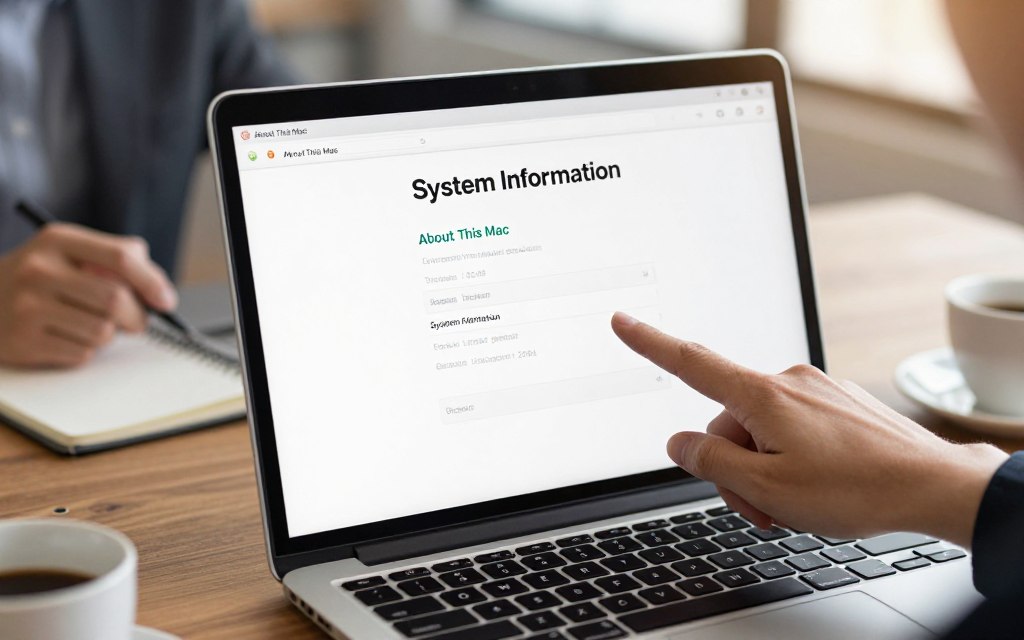
- Apple Menu: Click the Apple icon in the top-left corner and select About This Mac. This will display your macOS version name and number.
- System Information Application: Access this tool for a detailed overview of your system, including the OS version.
- Terminal: Open Terminal and type sw_vers or uname -a to get your OS version information.
Identifying a version, such as Ventura or Sonoma, helps ensure compatibility with applications and updates.
Identifying Additional Installed Systems
If your computer uses a multi-boot setup, use these methods to find other operating systems:
- Boot Menu: Access the boot menu during startup by pressing F8, F12, or Esc. This will show all installed operating systems.
- System Configuration Utility: On Windows, type msconfig in the Run dialog to view boot entries for different OS installations.
- Disk Management or Disk Utility: Use these tools to check disk partitions, which can indicate multiple operating systems.
- Virtual Machines: If you use virtualization software like VirtualBox or VMware, check the software interface to see any installed virtual operating systems.
These steps help you manage your computer’s operating systems and improve your user experience.
Choosing the Right Operating System for Your Needs
The right operating system can improve your productivity and user experience. Your needs may differ for business, creative work, or development. An operating system comparison helps you make an informed choice.
Best Operating System for Business and Productivity
For most U.S. businesses, Windows 11 is the best operating system for business. Its compatibility with Microsoft 365 and integration with Active Directory make it an ideal choice. Windows 11 also supports many hardware types and offers enterprise tools, including Intune and Group Policy.
However, macOS is also a strong choice for businesses using the Apple ecosystem. Its focus on design and user experience helps teams that value appearance and function.
Best Operating System for Creative Professionals
Creative professionals often choose macOS for its excellent color management and low audio latency. Applications like Final Cut Pro and Logic Pro are optimized for macOS. This makes it popular with graphic designers, video editors, and musicians.
Still, Windows 11 now supports creative work better, especially with high-end hardware. Linux also provides powerful open-source tools like GIMP, Blender, and Kdenlive for budget-friendly options.
Best Operating System for Developers and Technical Users
For developers, Linux is often preferred because of its robust command-line tools and package managers. It supports containerization and mirrors server environments, which helps development.
However, macOS offers a Unix-based environment with excellent developer tools. Windows 11 also includes the Windows Subsystem for Linux (WSL2). This feature lets developers use Linux tools directly on Windows machines.
| Operating System | Best For | Key Features |
|---|---|---|
| Windows 11 | Business | Microsoft 365 integration, broad hardware support |
| macOS | Creative Professionals | Color management, optimized applications |
| Linux | Developers | Command-line tools, open-source software |
Conclusion
Understanding operating systems helps people navigate today’s technology. Most computers run one primary operating system, but many systems exist. Dozens of operating systems serve different devices and specific needs.
Windows and macOS lead the desktop market with user-friendly interfaces for general consumers. Linux distributions support server environments with stability and security. Android and iOS lead mobile computing, offering many applications and services.
Embedded systems, including IoT operating systems, show how systems serve specialized needs. They help smart devices work efficiently in our connected world. Virtual machine OS technology lets users run multiple operating systems on one machine for personal and professional use.
As technology evolves, staying informed about operating systems remains essential. This knowledge helps users make informed choices for personal use, business deployment, or software development. The future promises more advances, making this an exciting field to explore.


Leave a Reply